Extracting Curves
Extract the curves with which you want to work. Curves you don't select are removed from memory and deleted from the LAS file when you save the file using LAS tools. You can also delete undesired curves while viewing curve coverage. For details, see Related Topics below.
To extract curves
- From the Function menu, click Extract curves (
 ).
).

The Extract Curves dialog box appears.
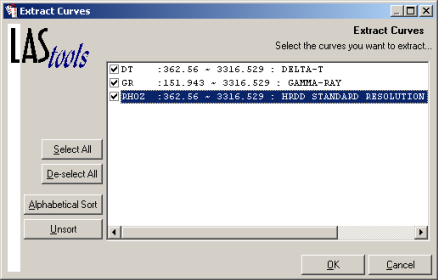
- Select the curves to extract, and then click OK.
 Related Topics

IHS Markit™